Support · GT BOI by Cash Garden
The care book.
Everything you need to take care of your robot.

Fig. 1 — GT BOI, new design 2027
01 · Questions
Questions.
Quick answers to the questions we hear most, sorted by topic.
Buying & enquiries
No. This is a showcase site: every “Buy” button opens an enquiry, and we reply by e-mail.
In three simple steps.
- Choose your robot and select “Buy”.
- Leave your details and tell us about your pool, garden or home.
- Our team replies to you by e-mail.
Your enquiry goes straight to the Cash Garden team. We reply by e-mail as soon as possible, with answers to your questions and the next steps.
Compare our pool robots side by side, or describe your pool, garden or windows in an enquiry. We’ll help you choose.
Using GT BOI
GT BOI is Cash Garden’s own cordless pool robot. It cleans the floor, walls, waterline and steps on its own, for up to 7.5 hours on a single charge.
Powerful suction, motorised brushes and fine filtration work together. Guided by AdaptiveNav 4.0 and driven by brushless motors, it cleans the floor, walls, waterline and steps. Add the optional skimmer, and the surface is taken care of too.
Not at all. Charge it, switch it on and lower it into the pool. It sinks to the floor and gets to work on its own.
Pools of every shape, with liner, shell, mosaic or glass surfaces. GT BOI cleans pools of up to 500 m².
At least once a week during the swimming season, and more often if your pool sees heavy use, sits near trees or is exposed to wind. With up to 7.5 hours per charge and automatic modes, it takes no effort at all.
No. For everyone’s safety, take the robot out of the water before anyone gets in. As your user manual states, never run it while people or animals are in the pool.
Yes. Leaves, dirt, debris and fine particles are drawn in and held by its filter. GT BOI isn’t designed for gravel, large amounts of sand, branches or metal objects, so remove those first.
Maintenance
Very little. After each cleaning cycle, rinse the robot and clean its filter. Check a few parts from time to time, and store it properly when it’s not in use.
Based on the previous-generation GT BOI manual.
In three simple steps.
- Lift out the filter tank and open its bottom cover.
- Take out the disposable filter bag and rinse away the debris. If it’s very dirty, replace it.
- Empty the outer filter basket and rinse it thoroughly under a tap or with a hose.
Clean and dry it completely, charge it fully, then keep it indoors, away from sunlight, rain and frost. Recharge it every three months.
Based on the previous-generation GT BOI manual.
Recharge it as soon as the battery light turns red, at 20% or less. Before a long break, charge it fully, then recharge it every three months to keep it between 40% and 60%. A battery left uncharged for too long can be damaged for good.
Warranty & service
Register your robot in just a few minutes to activate your 36-month manufacturer’s warranty. If your robot isn’t registered, your warranty is limited to 24 months from the date of purchase.
Fill in the registration form on this site within 24 months of purchase. You’ll need:
- Your GT BOI serial number
- The purchase date
- The name of your retailer
- Your proof of purchase
As set out in our terms of sale, the warranty doesn’t cover:
- Normal wear of filters, brushes, tracks, wheels and other consumables
- Use that doesn’t follow the user manual, or use out of the water
- Modification, disassembly or repair by an unauthorised person
- Unsuitable storage or transport
- Damage caused by gravel, large amounts of sand, branches or metal objects
Yes. Cash Garden supplies the spare parts essential to using your robot within two months of your request, or offers to replace the product entirely.
Take it out of the pool straight away and switch it off. Don’t attempt a repair yourself: contact our after-sales team. Worn wheels and brushes can be replaced with parts bought from an official retailer.
Our team is always here to help. Write to us through our contact form: we reply personally, by e-mail.
App & remote
Absolutely. From the app, start, stop and steer it, switch modes and schedule cleanings. With the remote control, manual steering is right at your fingertips.
Open the download page, install the app on your phone, then connect GT BOI over Bluetooth or Wi-Fi.
Based on the previous-generation GT BOI manual.
In three simple steps.
- Switch GT BOI on, open the app, then sign in or create an account.
- Tap “Add a new device” and allow Bluetooth and location access.
- Select your GT BOI when it appears in the list: its name begins with “GTBOI”.
Based on the previous-generation GT BOI manual.
From your phone, you can:
- Start, stop and steer GT BOI
- Switch between automatic and manual
- Schedule cleanings
- Check the battery level
- Follow the cleaning in real time
- Bring the robot up with “Remove”
- Get maintenance alerts
- Run a self-diagnosis
- Install firmware updates
- Choose your language
Based on the previous-generation GT BOI manual.
Steer with the joystick, which re-centres when you let go. Switch between automatic and manual, and turn the robot on or off. Your user manual details every button.
Check that the robot and the remote are switched on, and that the app is paired with your robot. Our troubleshooting guide takes it from there.
Partner robots & general questions
Yes. A pool robot removes debris, scrubs the surfaces and helps the water circulate, all on its own. You save time and effort, with no manual work and no complex set-up.
An autonomous cleaner that scrubs the floor and walls, vacuums up debris and filters the water. GT BOI goes further: cordless, controlled from the app or the remote, with up to 7.5 hours of runtime.
Yes. Their low-voltage motors and smart cleaning programmes use less energy than traditional pumping or cleaning systems. GT BOI cleans for hours on a single charge, without wasting electricity.
A range built for the autonomous home, including ULTRAMARINE, GOAT and WINBOT from our partner ECOVACS.
- Pool: GT BOI and its optional surface skimmer, GO COMPACT, ULTRAMARINE L1 and ULTRAMARINE L1 PRO
- Garden: GOAT AT1200 4WD PRO and GOAT XT3000 4WD PRO robotic mowers, with a range of shelters
- Home: WINBOT W3 OMNI
It depends on its size:
- GO COMPACT: pools up to 120 m², compact and light at 6 kg
- GT BOI: pools up to 500 m²
- ULTRAMARINE L1: pools up to 15 m long
- ULTRAMARINE L1 PRO: pools up to 18 m long, with real-time underwater control
Yes. Thanks to its solar-powered relay float, you can start, monitor and adjust L1 PRO at any time while it stays underwater, with real-time mapping and steering. No retrieving. No disconnecting.
Yes. Both GOAT models have four-wheel drive: they climb slopes of up to 84% (40°) and cross obstacles of up to 80 mm. GOAT AT1200 4WD PRO is recommended for lawns of 1,200 m², GOAT XT3000 4WD PRO for 3,000 m².
Yes. GOAT AT1200 4WD PRO has an automatic TruEdge edge trimmer; GOAT XT3000 4WD PRO has TruEdge Trimmer Pro, a flexible arm that reaches beyond the body.
Yes. Four contemporary designs protect your robotic mower from the rain and blend into your garden. Tell us which GOAT you have, and we’ll recommend the right one.
Windows from 30 × 40 cm, even tilted up to ±80°. A 12-level safety system and up to 30 minutes of power-cut protection watch over every clean.
Can’t find your question? Write to us
02 · Videos
How-to.
Every step, shown simply.
Previous-generation GT BOI
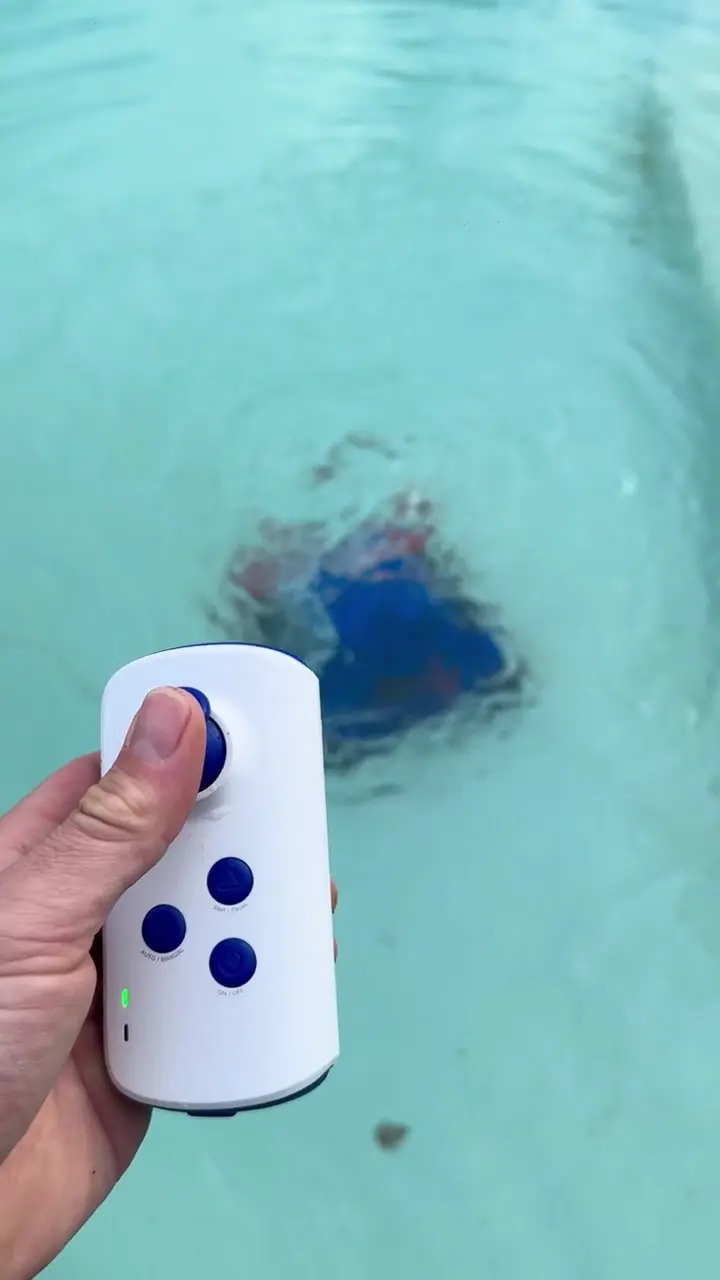
Fig. 2 — Using the remote 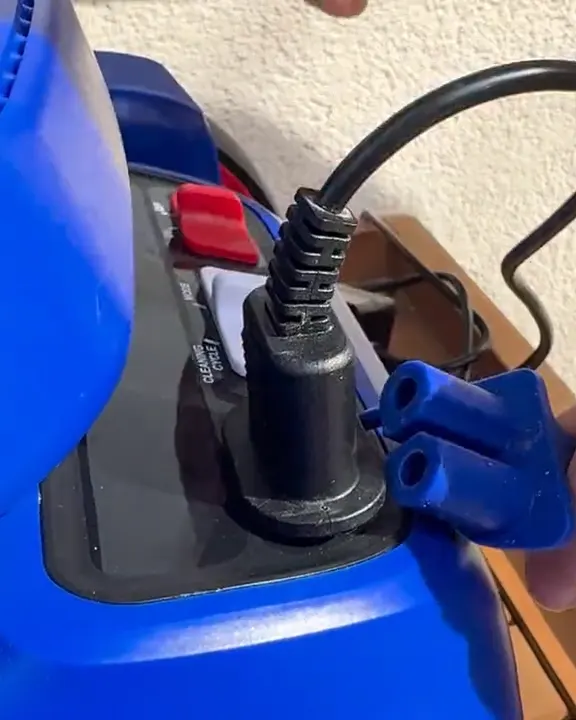
Fig. 3 — Charging 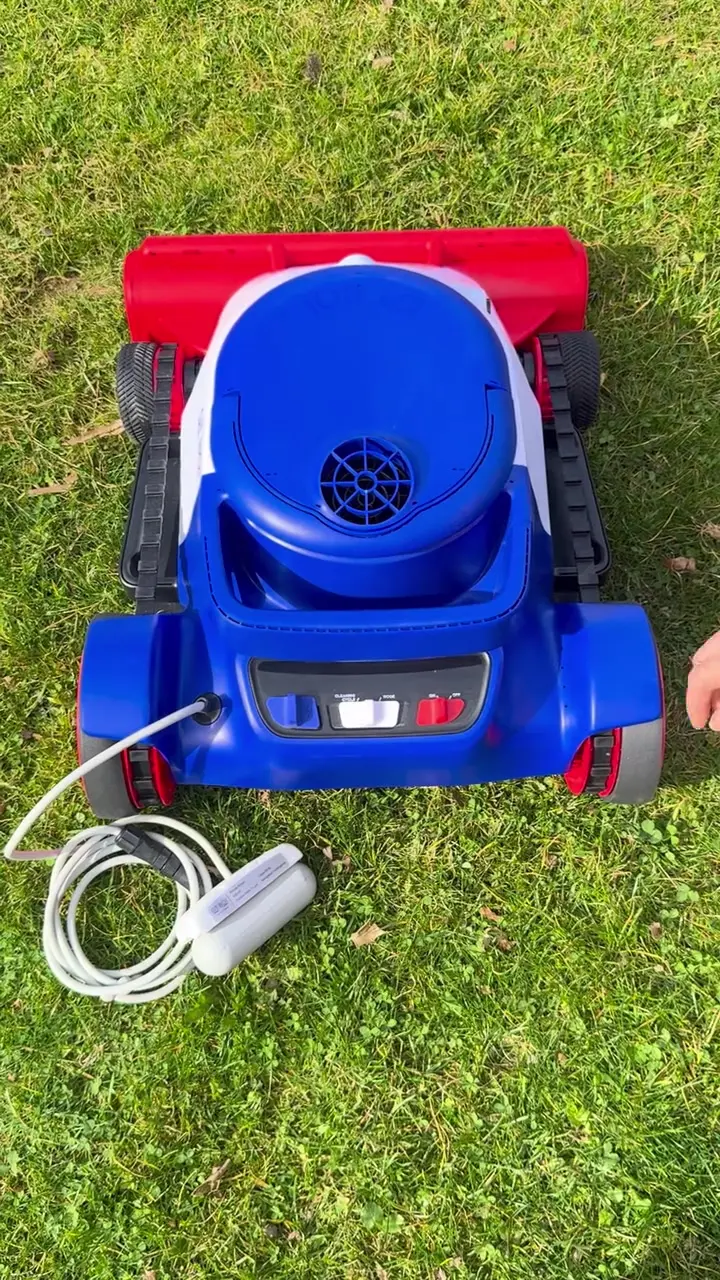
Fig. 4 — Switching on 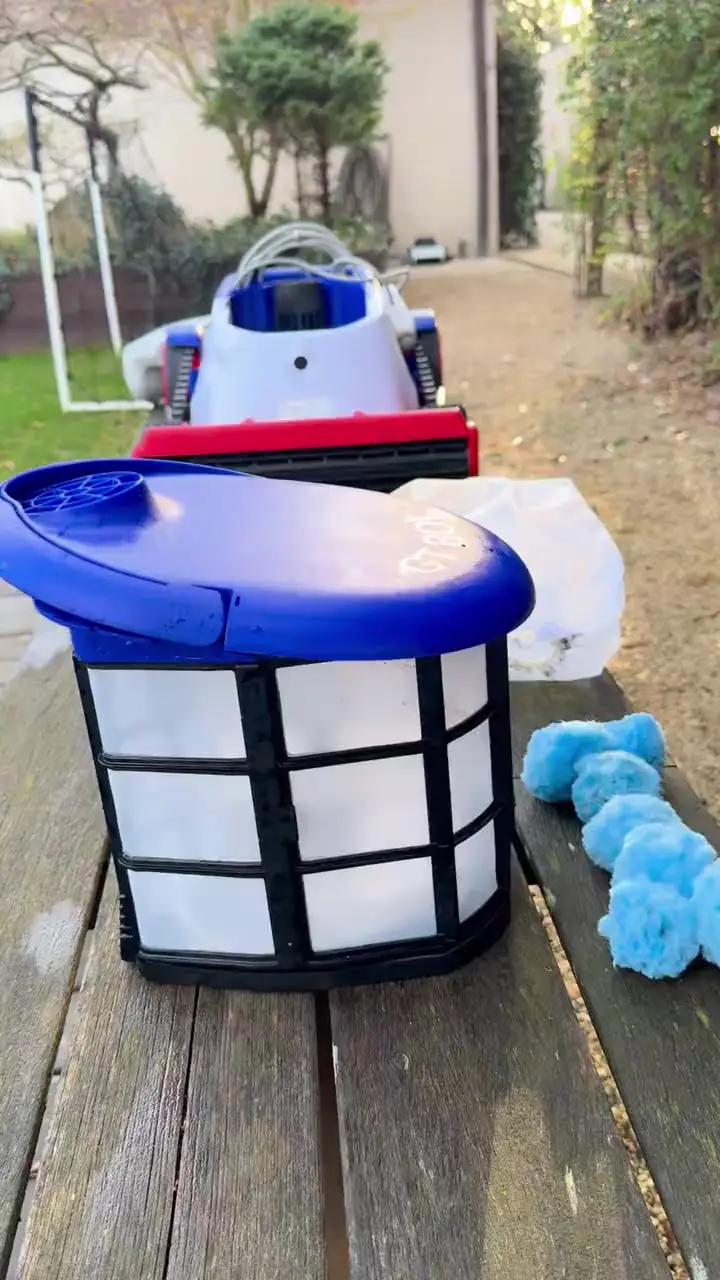
Fig. 5 — Fitting the double filter 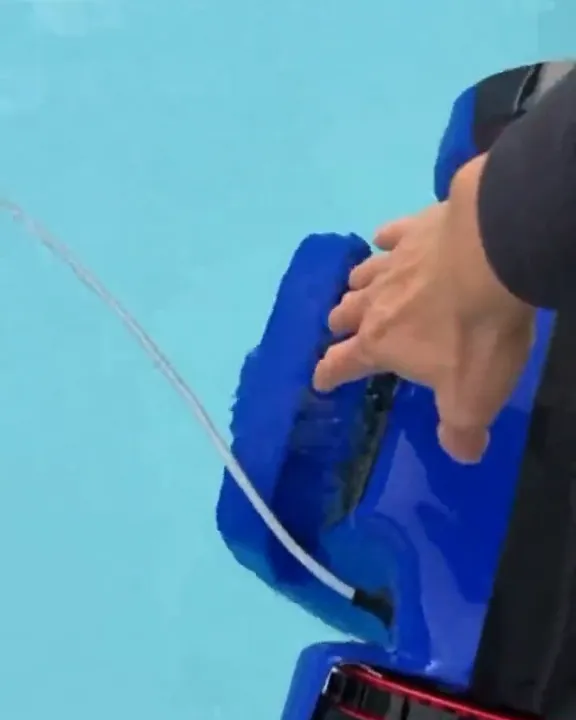
Fig. 6 — Taking it out of the pool 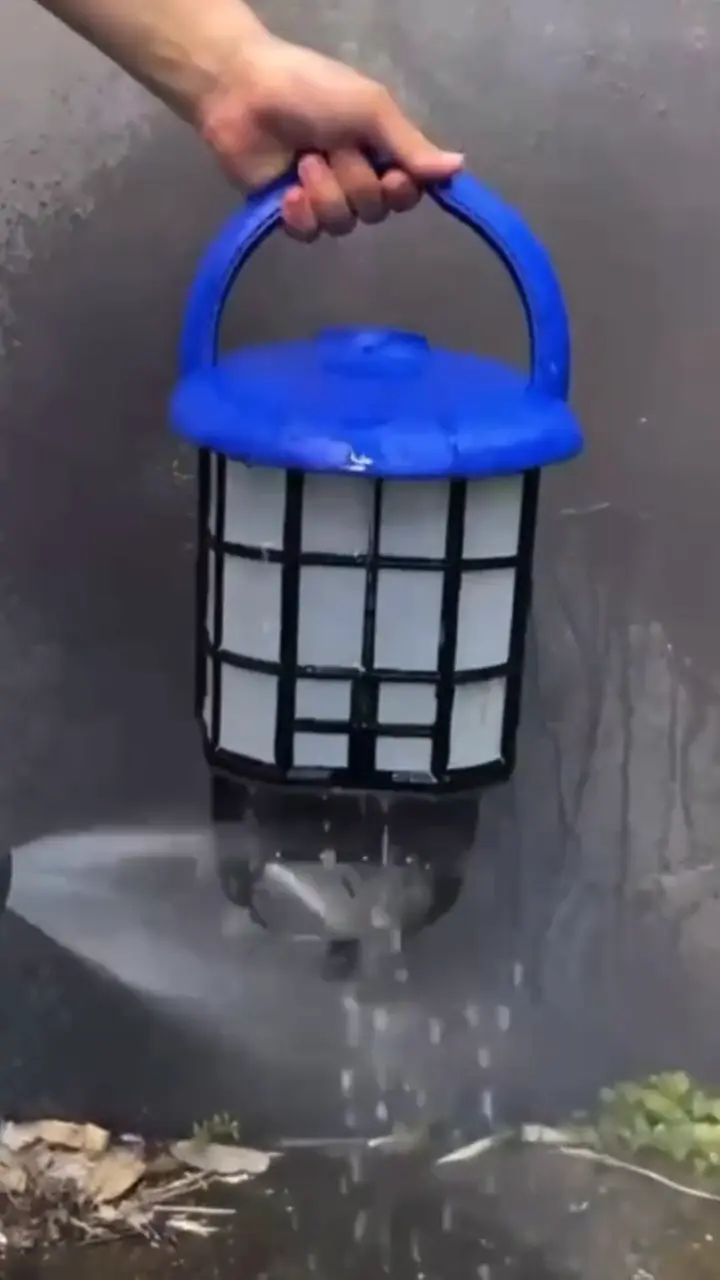
Fig. 7 — Cleaning the filter
03 · Warranty
The warranty.
Manufacturer’s warranty · GT BOI
Register your robot in just a few minutes to activate your 36-month manufacturer’s warranty. If your robot isn’t registered, your warranty is limited to 24 months from the date of purchase.
Not covered by the warranty
- Normal wear of filters, brushes, tracks, wheels and other consumables
- Use that doesn’t follow the user manual, or use out of the water
- Modification, disassembly or repair by an unauthorised person
- Unsuitable storage or transport
- Damage caused by gravel, large amounts of sand, branches or metal objects
Warranty terms (terms of sale, section 8)
Water & safety
For safe, effective cleaning, and to keep your warranty valid, keep your pool water within these ranges.
T&Cs · §8.1 · user manual
Water quality
- pH
- 7.0 to 7.6
- Water temperature
- 15 to 35 °C
- Free chlorine
- 3 ppm max.
- Salt (sodium chloride)
- 5,000 ppm max.
Never run the robot during or right after a shock treatment, while concentrated or undissolved chemicals are in the water, or when the water is outside these ranges.
Safety
- Never run the robot while people or animals are in the pool.
- For adults only (18 and over). Keep it out of children’s reach, and never let them play with it.
- Don’t run the robot while the pool’s filtration system is running.
- Take it out of the water after each cleaning cycle: it isn’t made to stay in the pool permanently.
04 · Downloads
Downloads.
Manuals and documents, ready when you need them.
05 · After-sales service
Our workshop,in France.
We have our own after-sales service workshop.
Our spare-parts stock is in France too.
Something not working? Write to us

06 · Contact
A question?Write to us.
Tell us what is happening with your robot: a Cash Garden advisor answers you personally.
We reply personally, by e-mail.